Your GitHub Universe badge, from the browser.
Open-source apps, games and tools for the Badger 2350. Plug the badge in over USB and use Badge Studio to install apps, put your own versions of the built-in ones, reorder the home screen, change its settings and take screenshots. No install: Chrome or Edge is enough.
On your phone? Badge Studio talks to the badge over USB, so it needs Chrome or Edge on a computer. Browse the apps below, and open this page on your computer when the badge is at hand.
Badge Studio
App storeInstall, update and remove apps from the official badge apps and this repo. Every file is checked after it is written.
ExtensionsReplace a built-in app with another version, like the ones in this repo. The old one is backed up on the badge and can be put back.
RepairA folder went missing or an app no longer starts? Put back the factory files in a few clicks. Your settings stay, and replaced files are backed up.
Home screenDrag the apps into the order you want, pick the ones at the top, hide the others.
Settings, screenshots, consoleWi-Fi, GitHub name, contact card and NFC; screenshots of any app as PNG; the MicroPython REPL.
How it works
Plug the badge inUSB-C to your computer, badge switched on.
Open Badge StudioIn Chrome or Edge, press Connect badge and pick it in the list.
Install, arrange, hackApps land in a second, the menu shows them under INSTALLED.
Guides
All guides →
BadgeYour GitHub profile, QR codes, an NFC contact card and an LED matrix graph.
ContactsSwap contact cards by holding two badges back to back.
RadarSee the badges around you, and play Hot / Cold to find someone.
Duck MazeTilt the badge to roll a marble through six mazes.
PedometerThe day's steps from your watch, hour by hour.
Mona PetLook after Mona; your steps feed her.
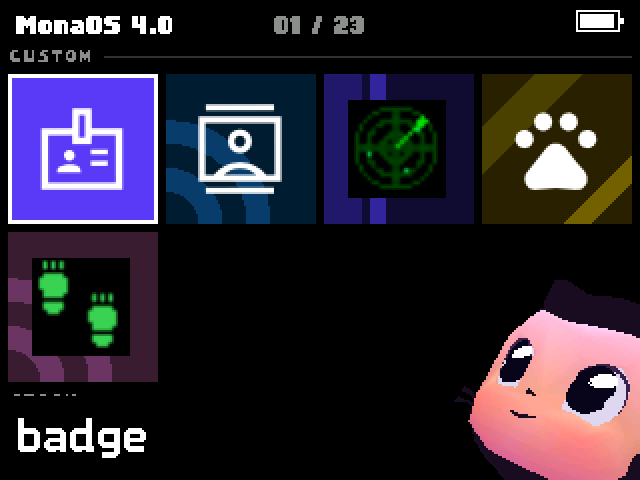
MenuThe CUSTOM band, installed apps, and a dizzy Mona.
Badger RemoteUse a Wear OS watch as the badge's buttons.
ControllerThe badge as a game pad for your computer, over USB.
Bluetooth from a computerDrive one or more badges from a browser or a Python script.
App store · … apps
Loading the apps from GitHub…
Make your own app
Every app added to the repo shows up in this store for every badge owner. One command gives you a working app to start from: py tools/new_app.py my_app "My App" "What it does." Try it on your badge from your fork, then open a pull request. No badge? Run your app in the official badge simulator, or help with Badge Studio and this site.